Understand it.
Keep reading.
A sentence in another language shouldn’t send you to another app. Select it, translate it, and stay with what you were reading.
Try Translate above TapMore making.
Interactive demo · Sample notifications
Free · Apple silicon · macOS 13+
Choose a moment. Watch it happen.
You can pick up where you left off.
Reopen the project to continue editing.
Your latest changes will be there.
A product. A design. Your next independent project. The work needs your attention, but a hundred small detours keep asking for it. Tap is a glass companion for your Mac that keeps translations, agent activity, quick searches, project context and people within reach.
A sentence in another language shouldn’t send you to another app. Select it, translate it, and stay with what you were reading.
Try Translate aboveDouble-tap Control to open Tap with search already focused. Search and view a page. Close it and its page resources are released. A passing question doesn’t need a permanent browser tab.
Try Search & go aboveStart an agent task, then keep designing, writing or planning. Tap shows reported activity from Codex, Claude Code and Cursor so you can see when to return. Keep a to-do on the glass for your next step.
Keep doing your thing.
A good moment to check in.
Ready when you are.
When things go quiet, Tap settles into a small edge entry. Hover for a peek. Move away, and it settles back. New relevant activity brings it into view again.
Your PRD, Figma file, ERD and dashboard belong with the work. Keep those links alongside project notes and to-dos, so returning to a project doesn’t mean reconstructing it from scattered tabs.
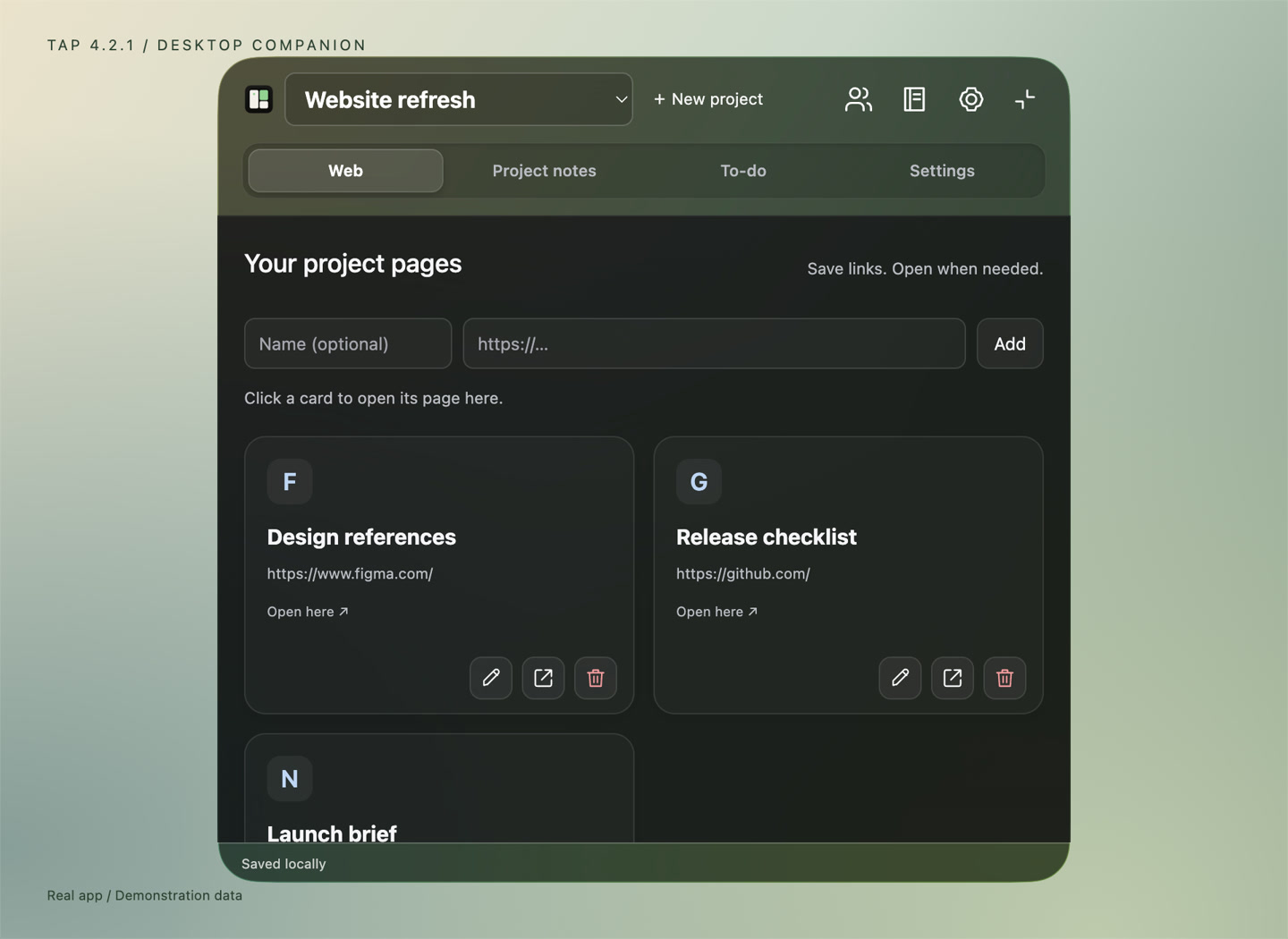
Save a link with a name that means something. Open it inside Tap, one page at a time, or in your system browser.
Write rich-text project notes with headings and lists. Capture quick thoughts in your default notebook, then find all notebooks together.
Keep to-dos and due dates with the project they belong to. Pin a note or to-do to the glass when you want it close.
Work moves through conversations, too. Connect with your Tap contacts, see unread messages on the glass, and reply from the same familiar place.
Try Your people above Friends and messaging use a Tap account.A message from Alex. Your next step, close by.
Illustrative message · Try the interactive scenario above.Projects and notes stay on your Mac. Connect agents and sign in for messaging when you choose. Optional Google Calendar and Gmail previews are currently available to approved testers. Product analytics are on by default and can be switched off.
Tap helps you switch context less while working on your Mac. Translate selected text, follow connected AI agents, do a quick search, organize project links, notes and to-dos, and chat with Tap contacts. These everyday actions stay close in a floating glass companion.
Tap supports connections for Codex, Claude Code and Cursor. It uses supported local activity records or hooks to show working, needs-input and finished states. Setup and detail vary by agent. Hook-based connections may require approval in the agent app, and status can lag behind its activity.
No. Tap shows activity from the agents you connect. It does not include a local AI model or built-in AI chat in this version. You continue prompting and replying in your agent’s own app.
The glass settles into a small entry at the edge of your screen. Hover to peek; move away to let it settle again. New relevant activity can bring the glass back into view. An open workspace stays open.
Yes. Save named page cards in a project, search Google, or open a URL. Tap displays one interactive web page at a time inside the glass. Close it to return to your workspace, or open a saved page in your system browser.
Projects, local notes and to-dos do not require a Tap account. Friends and messaging require sign-in. Text-selection tools need macOS Accessibility access. Agent connections are optional and use local activity sources or hooks; Tap does not require connecting your email or calendar.
Projects, notes and to-dos are stored on your Mac. Messaging uses Tap’s account service, and websites and translation actions connect to their services. Product analytics are enabled by default with stable random user and installation IDs, approximate IP-derived country and city, and app and OS versions; they exclude note text, message text, queries, URLs and file paths. You can turn analytics off in Settings. Optional diagnostics are off by default.
Tap is free to download for Apple silicon Macs running macOS 13 or later. The native Liquid Glass treatment uses macOS 26; earlier systems use a fallback appearance. Intel Macs are not supported by this download.
FOR YOUR NEXT GOOD IDEA.Free · macOS 13+ · Apple silicon
Native Liquid Glass on macOS 26. Earlier versions use a fallback appearance.